HOW TO'S AND HELPFUL REFERENCES FOR MANAGING YOUR NEW MBP WEBSITE
MBP Color Palette
Adding Photos to Website
- Large photos (for example, page header or Hero photos) should be at least 500KB in size (for best resolution) and dimensions of 1200px wide x 600px high. Recommend free online tools like Canva or Picmonkey to size and enhance photos.
- Photos lower down the page should follow a 4:3 aspect ration (for example 400px wide x 300 px high).
Add new content or edit existing content - like text, photos or even PDFs:
- Go to the page of interest, and "Edit" - look for the "Page Builder" tab at the top of each webpage and begin editing in these sections
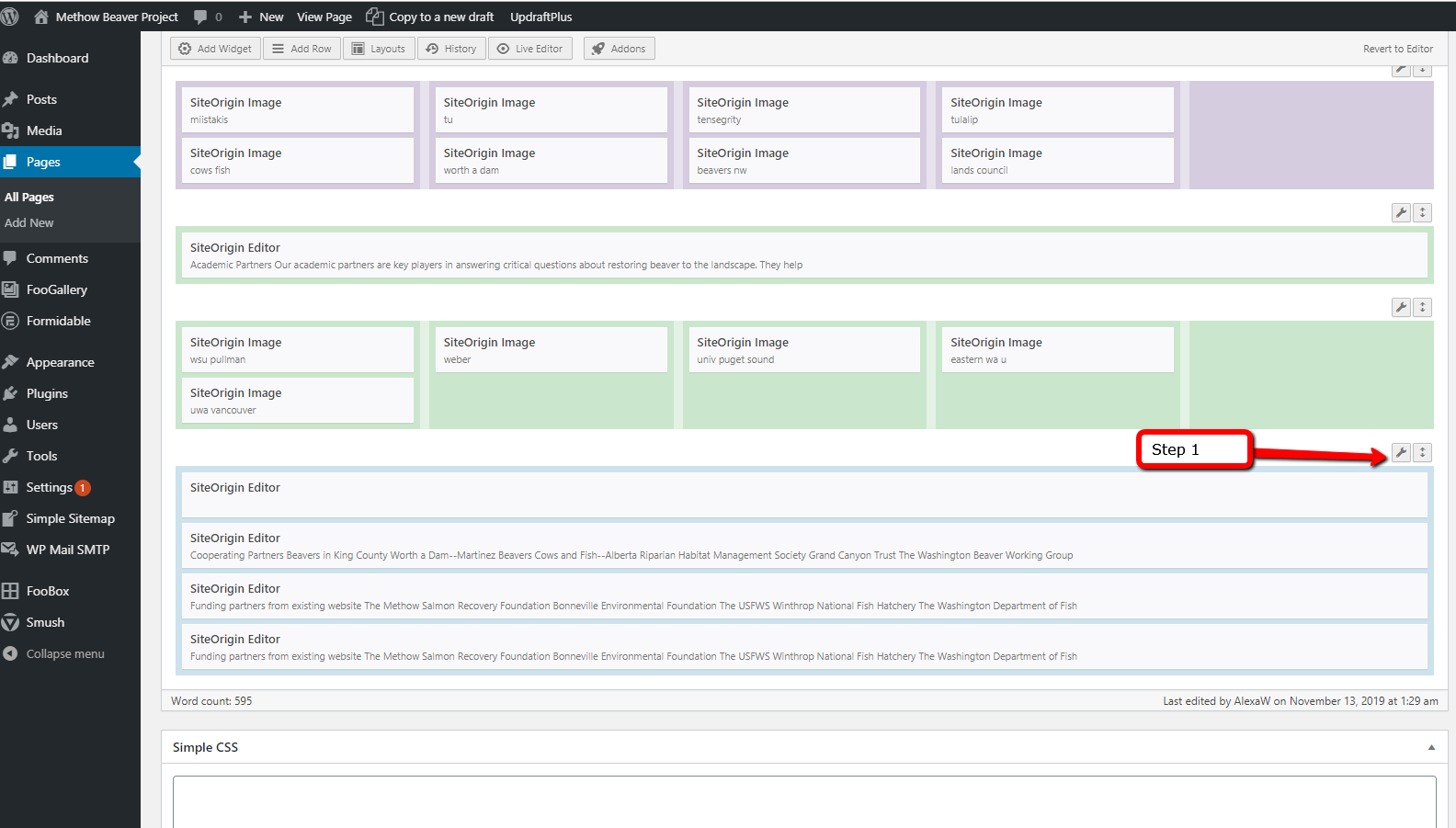
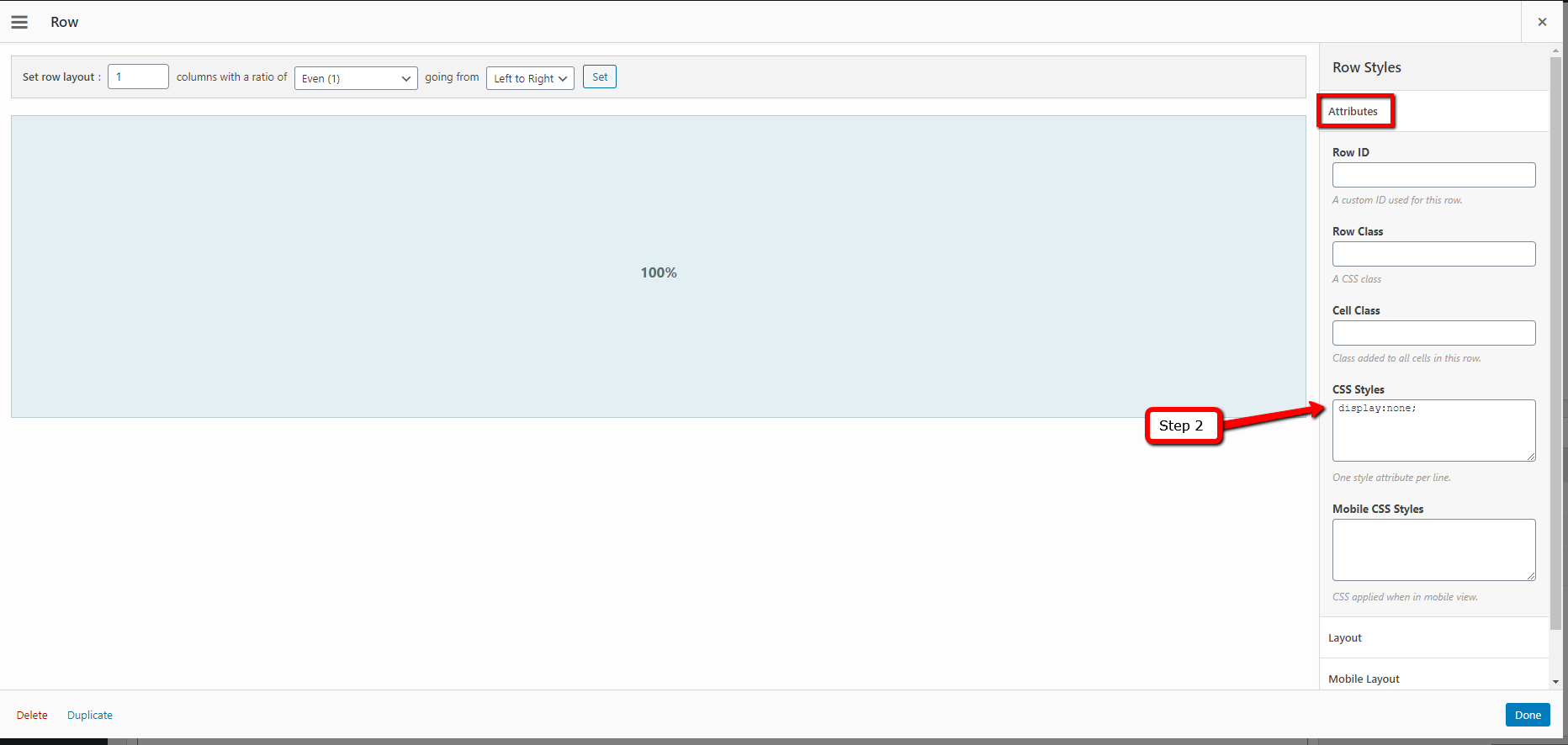
- To hide content temporarily or seasonally (vs. delete altogether), find your content section on that page (likely labeled as a "Row") and add these exact words Display:none; to the Attributes
For displaying Upcoming Events and Activities - there is room on the Home page of website to highlight upcoming activities. Contact Reese Mercer to get started.